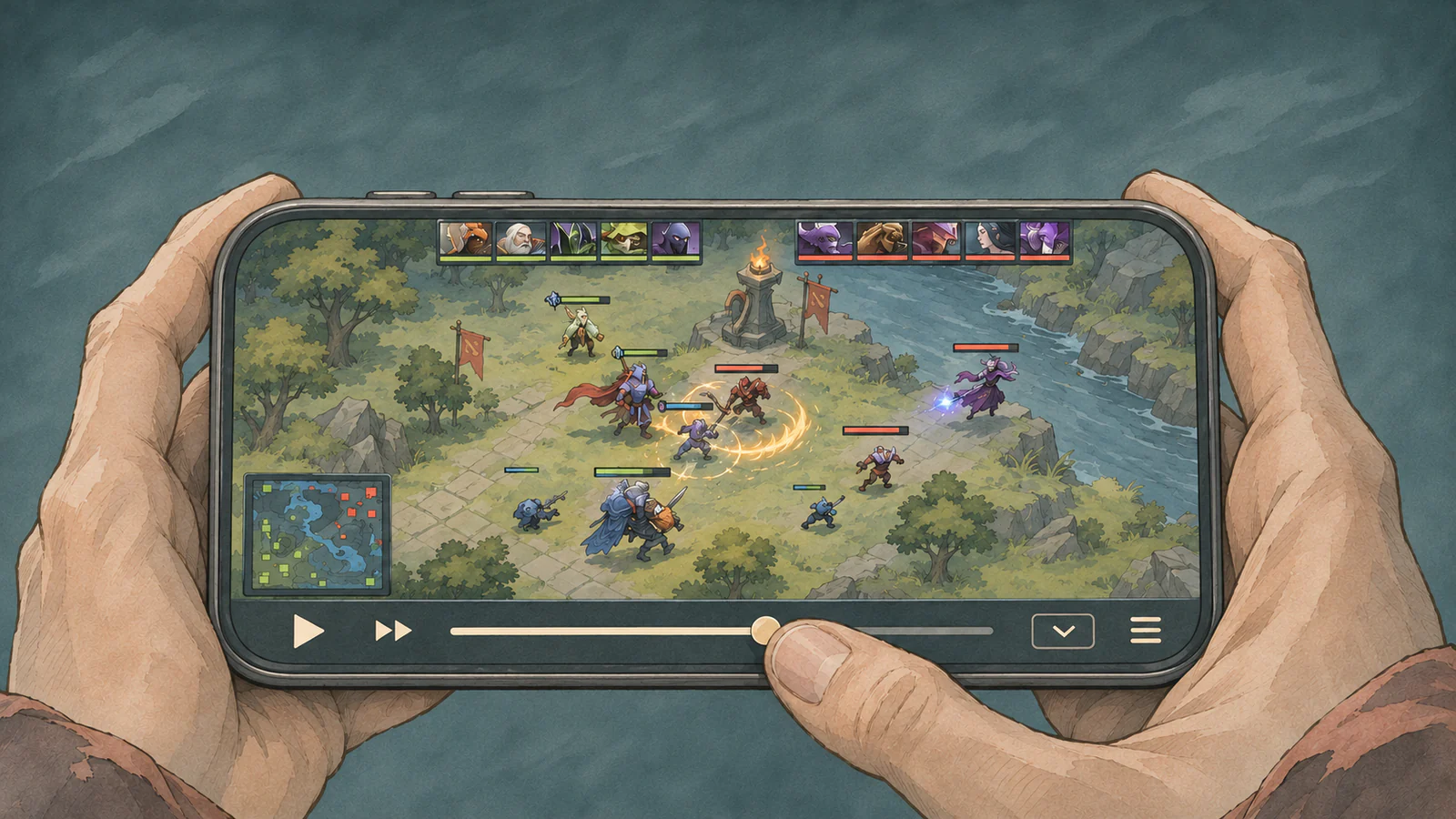
Watch in landscape or portrait
The player opens in landscape on phones so you can see where heroes are positioned during a teamfight. If you prefer to hold your phone upright, tap the orientation button at the bottom. The same toolbar has a fullscreen button.
Jump to the moment you want to see
Play, pause, playback speed, and the timeline are all at the bottom. As you drag the slider, the time you’re jumping to appears above it. Tap “Next highlight” to jump to the next fight, then try 0.5× speed to see who initiates and when their teammates follow up.
Tap the speaker icon and drag the slider to adjust the sound effects volume.
Follow a hero and tap for details
Tap a hero portrait at the top to follow that hero. Tap the minimap to move the camera to another part of the battlefield. Pause and tap an ability, item, or status icon to inspect details at that moment, such as ability levels, item cooldowns, and buffs.
Try a match on your phone
Open DOTA2 REPLAY in your phone’s browser. Enter a match ID on the home page or pick a match under “Try the replay player”. You can also import a .dem file. Your phone processes the file locally without uploading it. You can do all of this without installing the Dota 2 client.